Rate Management
The Rate Management page enables administrators to manage messaging rates for different platforms and companies within Axis Connect. Global rates apply to all companies by default, while company-specific rates override global rates.
Overview
- Purpose:
Configure, edit, activate/deactivate, or remove messaging rates for Email, SMS, and WhatsApp platforms. - Global vs. Company-Specific:
- Global rates: Apply to all companies on the platform.
- Company-specific rates: Override global rates for the selected company only.
Rate Management Table
Reference:
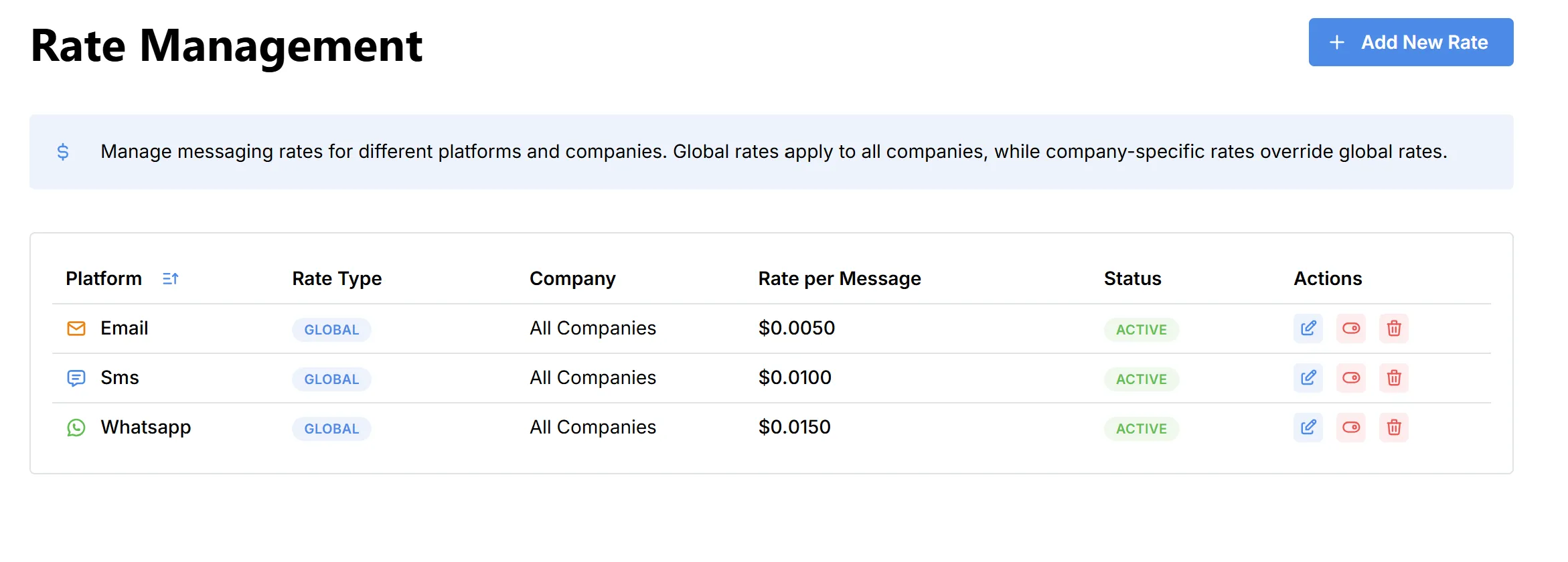
- Platform: Messaging channel (Email, SMS, WhatsApp).
- Rate Type: Global or company-specific.
- Company: “All Companies” for global, or a specific company name.
- Rate per Message: Cost to send a single message.
- Status: Indicates if the rate is currently active.
- Actions:
- Edit: Modify the rate configuration.
- Deactivate: Temporarily disable the rate.
- Delete: Remove the rate from the system.
Adding a New Rate
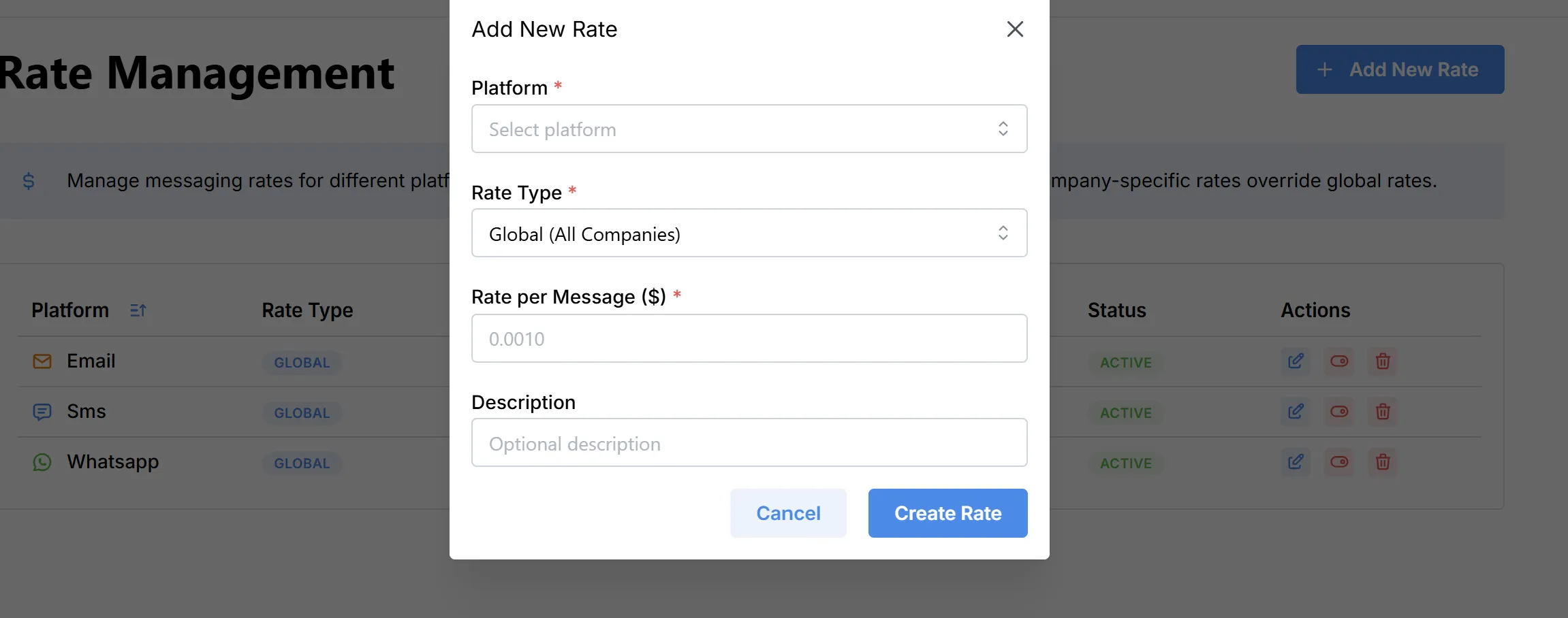
To add a new messaging rate:
- Click the Add New Rate button.
- Fill out the rate details in the modal:
- Platform: Select Email, SMS, or WhatsApp.
- Rate Type: Choose between Global (all companies) or Company-specific.
- Rate per Message ($): Enter the cost per message (e.g., 0.0100).
- Description: (Optional) Add any relevant notes or descriptions.
- Click Create Rate to save.
Reference: