Message History
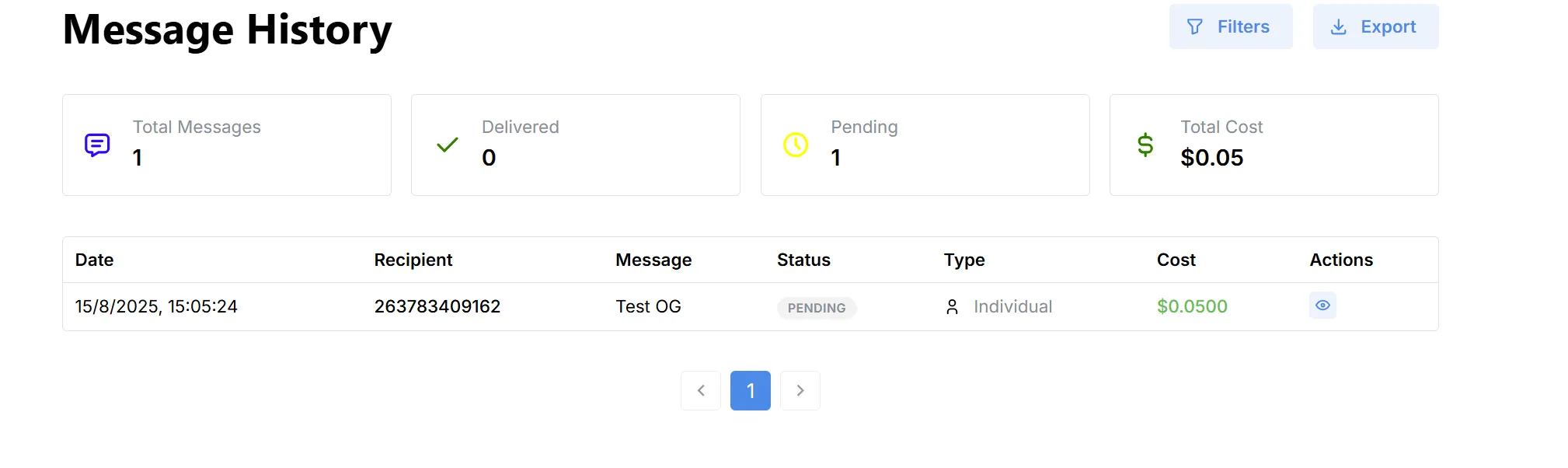
The Message History page provides a detailed log of all messages sent from your account. This allows you to track delivery status, costs, and recipient details for every message.
Overview
- Purpose:
Review past messages, monitor their delivery status, and analyze messaging costs. - Export & Filters:
Use the Filters button to refine your search by date, status, recipient, or type.
Use the Export button to download your message history for reporting or backup.
Summary Metrics
- Total Messages: Number of messages sent.
- Delivered: Number of messages that have been successfully delivered.
- Pending: Messages still awaiting delivery or confirmation.
- Total Cost: Cumulative cost of all sent messages in the current view.
Message Log Table
Actions
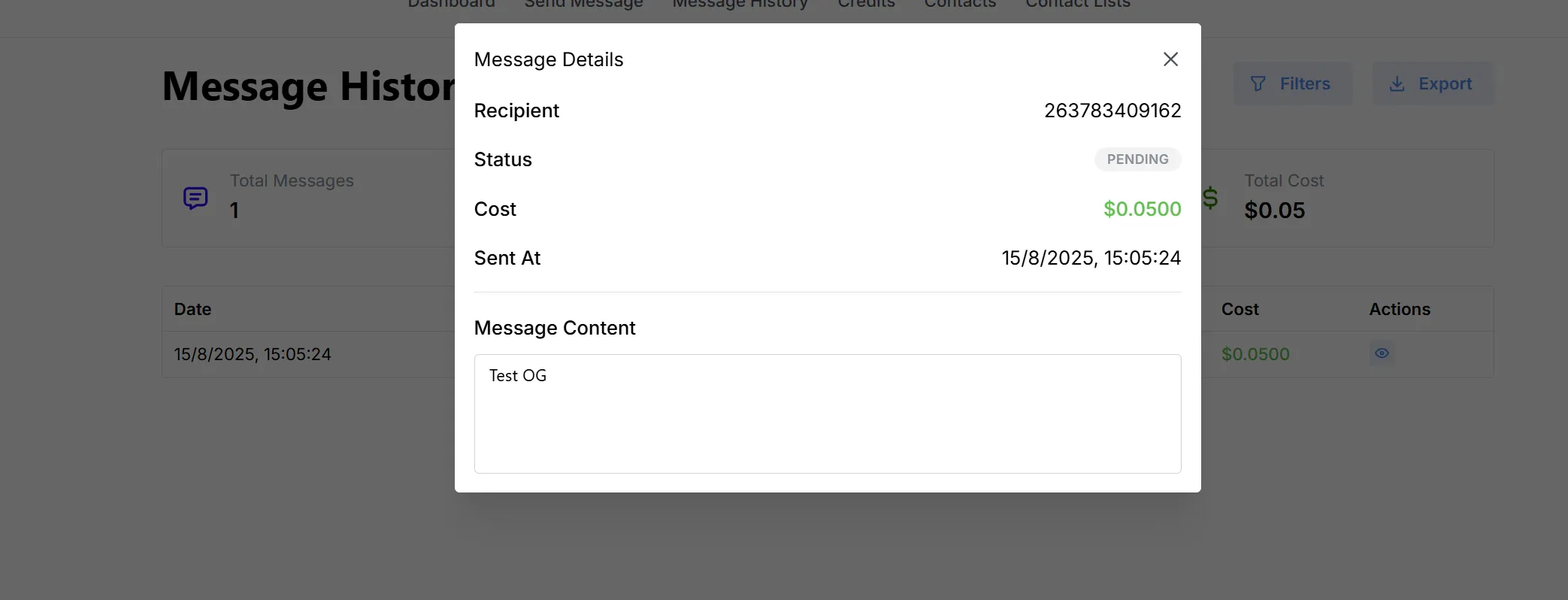
- View: Click the eye icon to see more details about a specific message.