Admin Dashboard
The Admin Dashboard provides a comprehensive overview of the Axis Connect platform, allowing administrators to monitor platform usage, manage companies, view recent activities, and track financial transactions.
Reference:
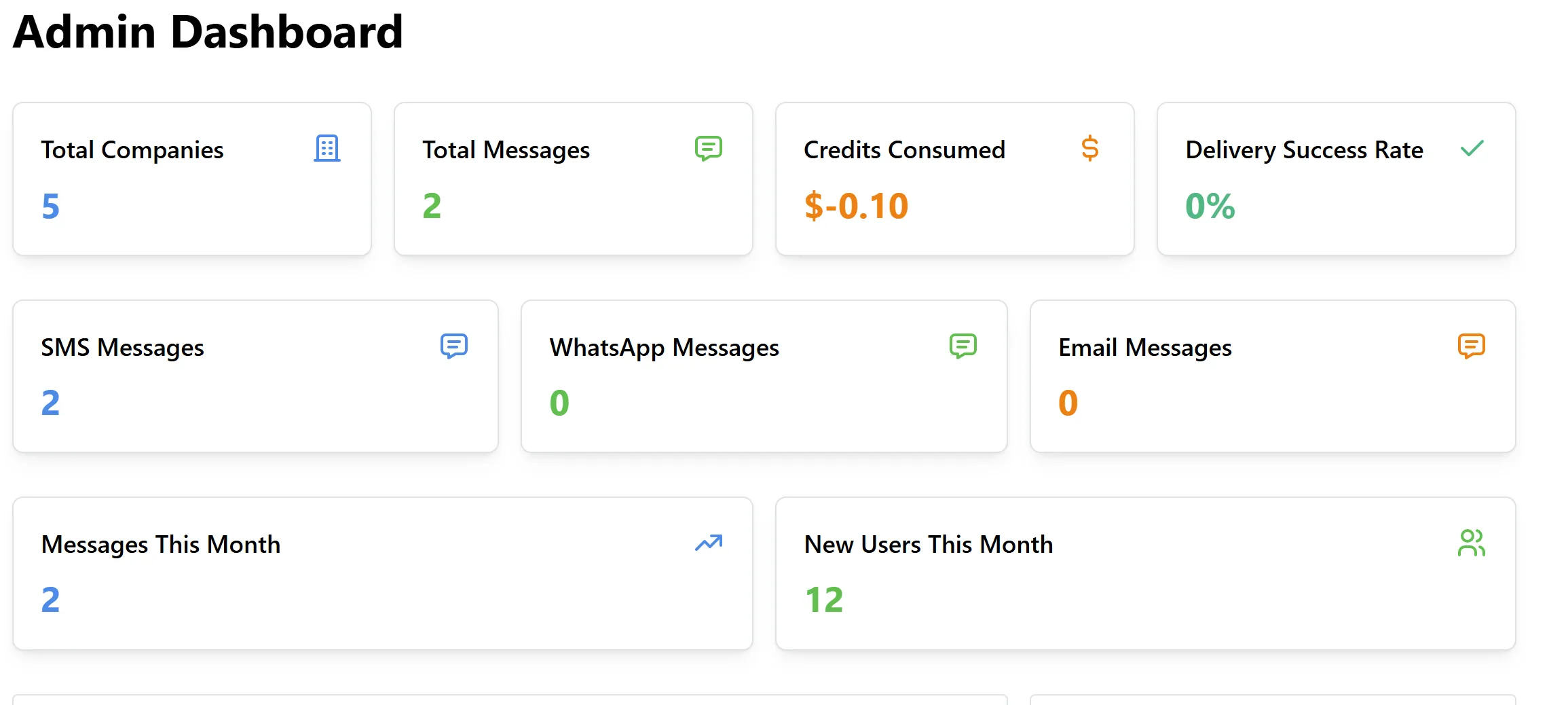
Dashboard Overview
The dashboard is organized into several widgets and tables for quick access to essential metrics and recent activities.
Key Metrics
-
Total Companies:
Displays the total number of registered companies on the platform. -
Total Messages:
Shows the total messages (across all channels) sent via Axis Connect. -
Credits Consumed:
Sums up the total credits used by all clients. Negative values may indicate overuse or pending payments. -
Delivery Success Rate:
Indicates the overall percentage of successfully delivered messages. -
SMS Messages / WhatsApp Messages / Email Messages:
Breaks down the total messages sent by type. -
Messages This Month:
Shows the number of messages sent in the current month. -
New Users This Month:
Indicates how many new clients/companies registered in the current month.
Data Tables & Widgets
Top Companies by Message Count
A table displaying the most active companies:
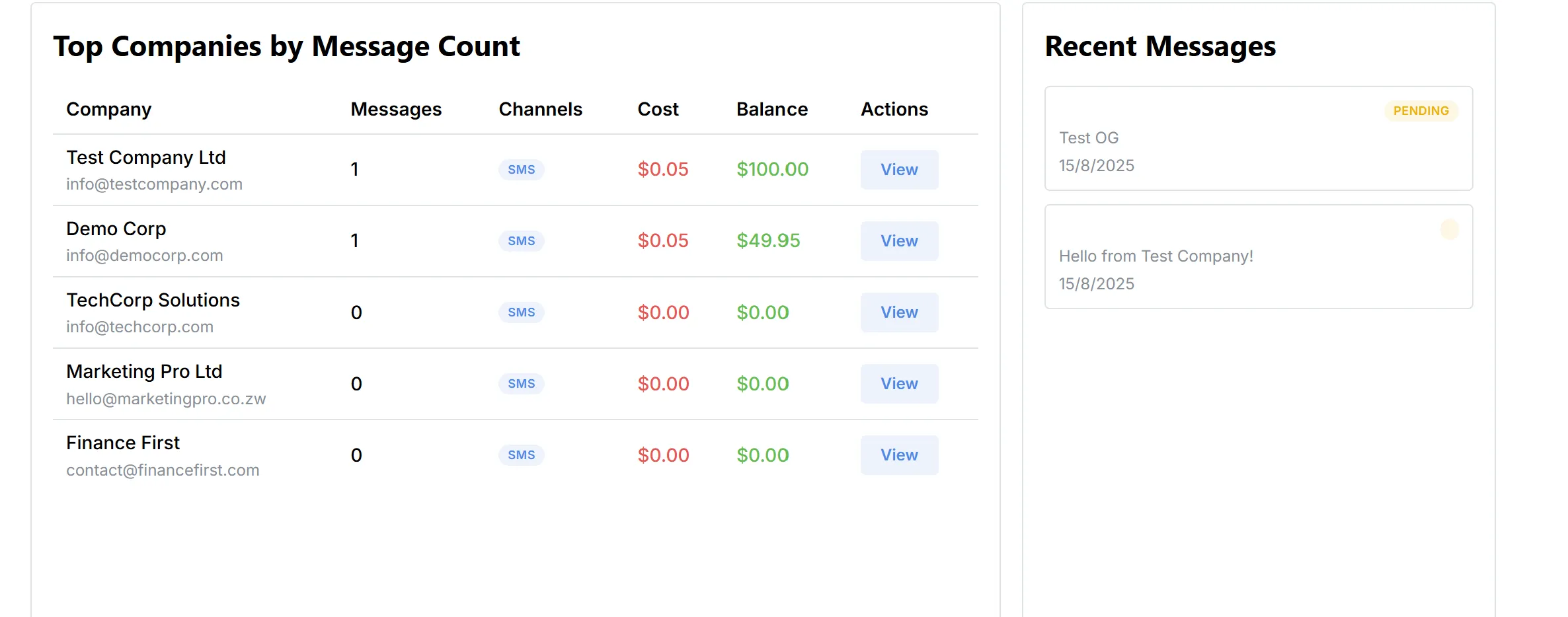
- Channels: Indicates which bulk messaging channels the company is using.
- Cost: Total cost incurred by the company.
- Balance: Remaining credits.
Recent Messages
Recent Transactions
A table summarizing the latest credit transactions:
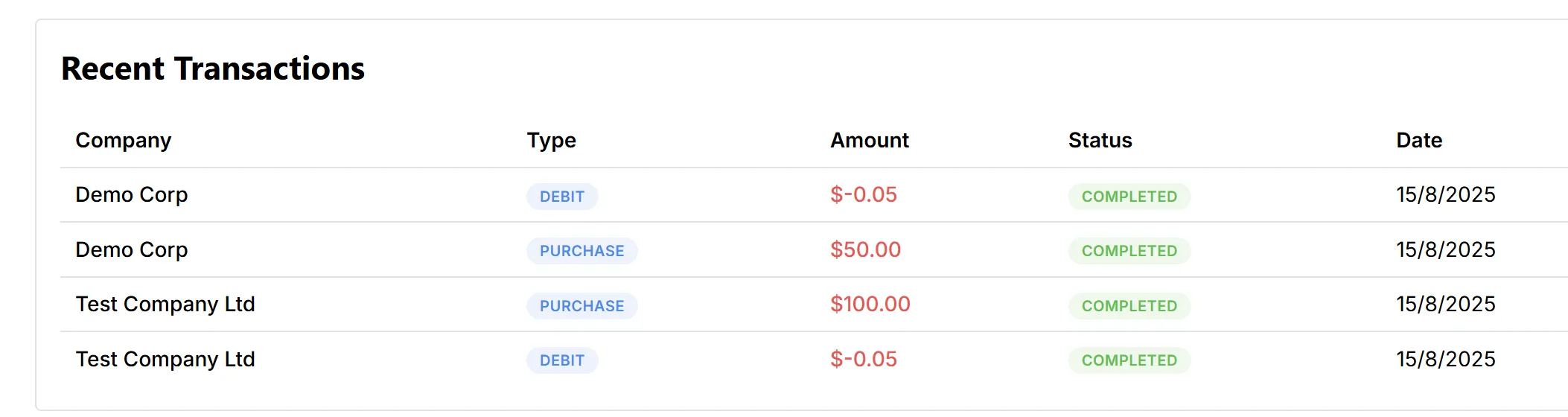
- Type: Indicates whether the transaction is a purchase (adding credits) or a debit (credits spent).
- Amount: The value of the transaction (negative for debits).
- Status: The completion status of the transaction.
- Date: When the transaction occurred.
Navigation
The admin dashboard provides links to key platform management areas:
- Dashboard: Main overview page.
- Users: Manage user and company accounts.
- Credits: Oversee credit balances and transactions.
- Master Credits: Manage and allocate master credits.
- Rates: Configure pricing rates for all channels.
- Settings: General platform configuration.