Credit Management
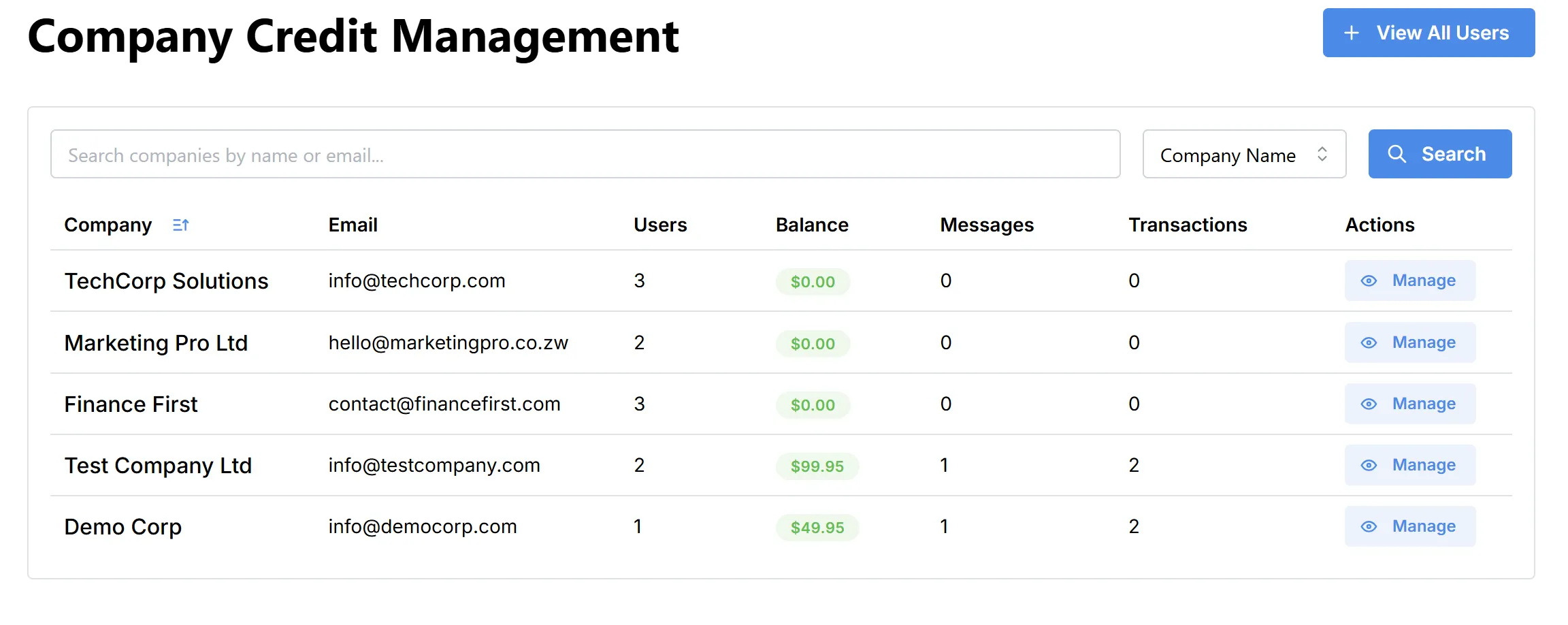
The Company Credit Management page allows administrators to monitor and manage company credit balances across the Axis Connect platform. It provides a quick overview of each company’s credit status, user count, and messaging activity.
Reference:
Overview
This page displays a searchable and sortable table containing the following columns:
- Company: Name of the registered company.
- Email: Primary email address for the company.
- Users: Number of users associated with the company.
- Balance: Current credit balance for the company.
- Messages: Total number of messages sent by the company.
- Transactions: Number of credit transactions (purchases/debits) made by the company.
- Actions: Quick access to manage the selected company’s credits and view details.
Features
-
Search & Filter:
Easily find companies by name or email using the search bar. Filter the list by company name. -
View All Users:
Use the “View All Users” button to navigate to the full user management page for additional details. -
Manage Credits:
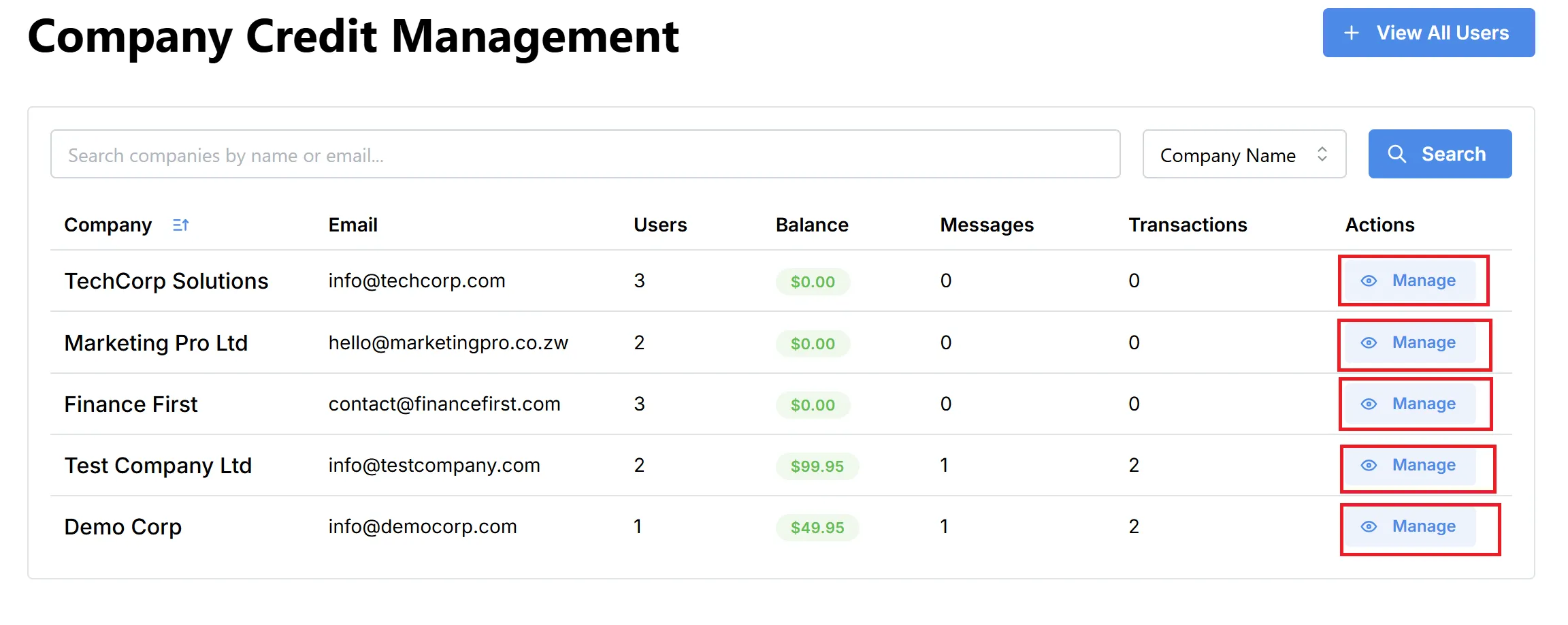
Click the “Manage” button for any company to view or adjust their credit balance, see transaction history, or perform administrative actions (e.g., add/remove credits).
The Company Credit Details page provides a detailed view of a specific company’s credit status, users, and transaction history. This page is accessed by clicking the “Manage” button on the Company Credit Management page.
Reference:
Overview
At the top of the page, you will find key information for the selected company:
- Company Name and Email: Displayed prominently for context.
- Current Balance: Shows the company’s available credits.
- Total Users: Number of users associated with the company.
- Total Messages / Total Transactions: (currently empty, but reserved for future stats).
- Add Credits: Button to add more credits to the company’s balance.
Company Users
A table listing all users registered under the company, showing:
Reference:
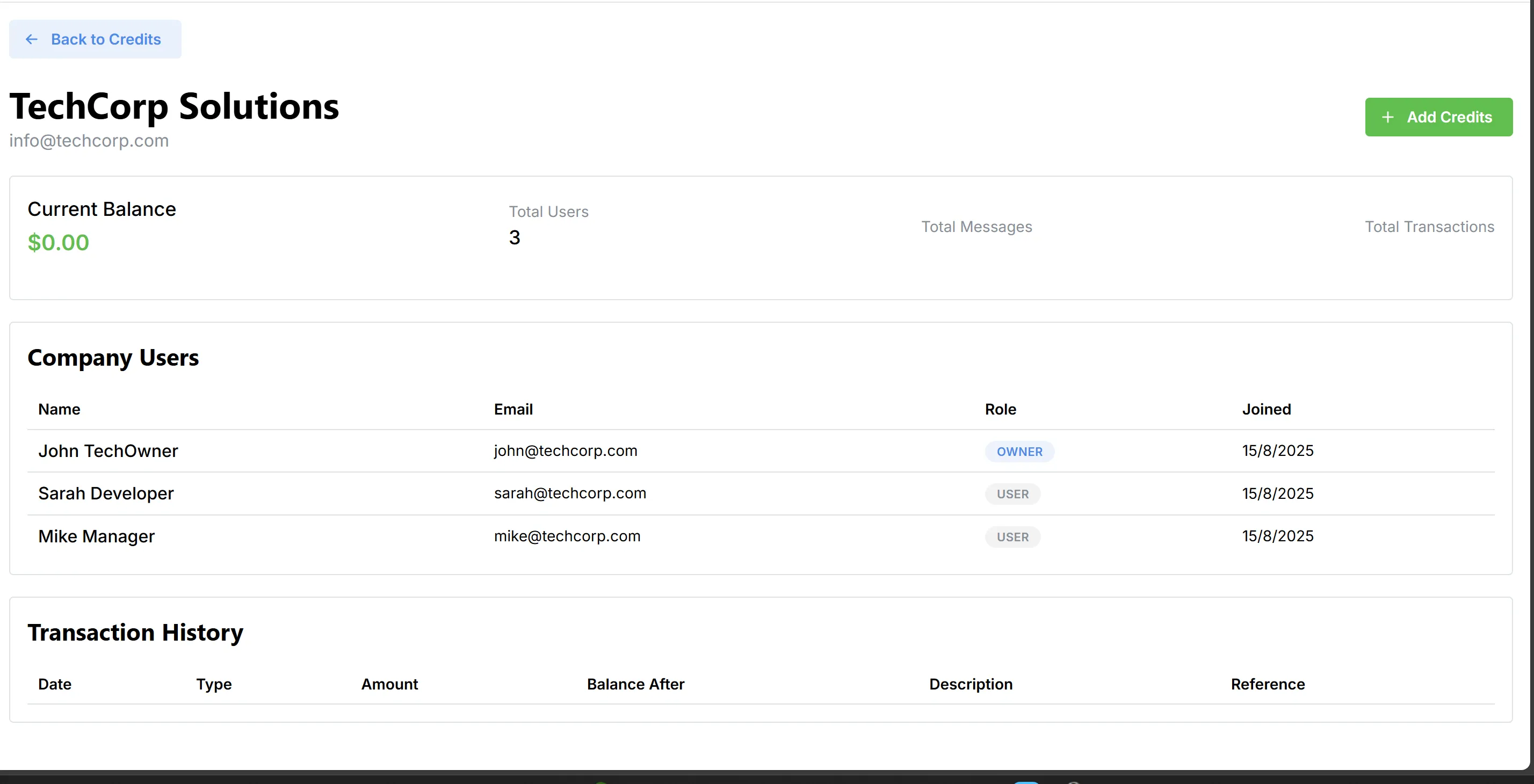
- Role: Indicates whether a user is an OWNER or USER.
- Joined: The date the user was added to the company account.
Transaction History
A table intended to display all credit transactions for the company, including:
| Date | Type | Amount | Balance After | Description | Reference |
|---|---|---|---|---|---|
| transactions history |
- Type: E.g., credit purchase, deduction, etc.
- Amount: Value of the transaction.
- Balance After: Resulting balance after the transaction.
- Description, Reference: Any additional details or references for the transaction.