Contact
The Contacts page allows you to manage individual contacts within your account. You can add, edit, search, and organize contacts into lists for efficient messaging.
Overview
- Purpose:
Store and organize contact details (name, phone number, email, etc.) for use in messaging campaigns. - Contact Lists:
Assign contacts to lists (e.g., organizations, segments) for targeted communication.
Features
Contact Table
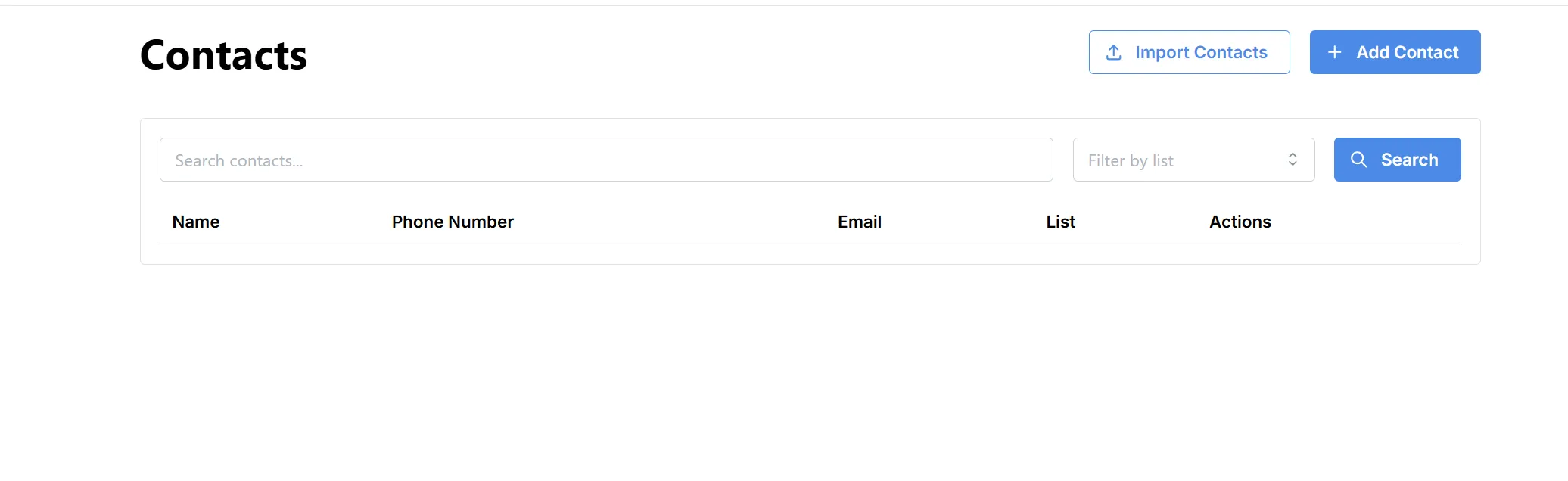
- Search: Filter contacts by name, phone, or email.
- Filter by List: View contacts belonging to a specific list.
Import Contacts
- Use the Import Contacts button to upload multiple contacts at once via file (CSV, Excel, etc.).
Add Contact
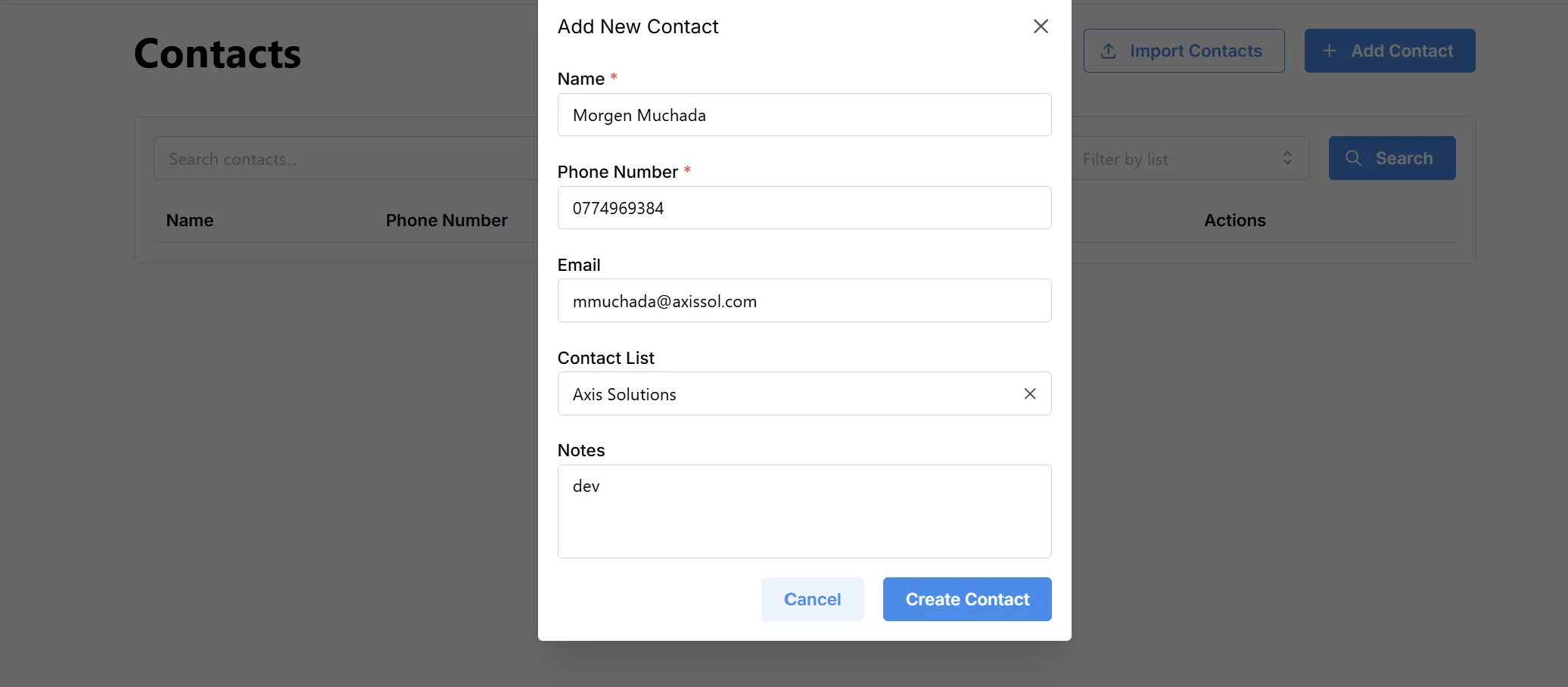
To add a new contact:
- Click Add Contact.
- Fill in the form:
- Name (required): Enter the contact’s name.
- Phone Number (required): Enter the contact’s primary phone.
- Email: (optional) Contact’s email address.
- Contact List: (optional) Assign to a group/list.
- Notes: (optional) Any extra information about the contact.
- Click Create Contact to save, or Cancel to discard.